
I’ve been searching through the little humble web, searching via google for the Hash tagging problem on Instagram. and Yet couldn’t solve the problem. But today I was able to figure it out!
Now I guess most of you are having the same problem, or let’s say having the same cause for this bothering problem!
The answer is as simple as this: You most probably are using the same instagram account on two devices, say an iPhone & iPad, or iPhone & other iPhone etc… !
If this is the case? Then, you should delete the instagram app at one of those least used device when it comes to posting through your instagram account.
After deleting the app. Go to your instagram options, and under preferences, click on the Share Settings, from there click on your Facebook account where your Facebook name appears next to it.
After that, under Account click on Unlink. It’ll ask you “Are You sure?” click on “Yes, I’m Sure”.
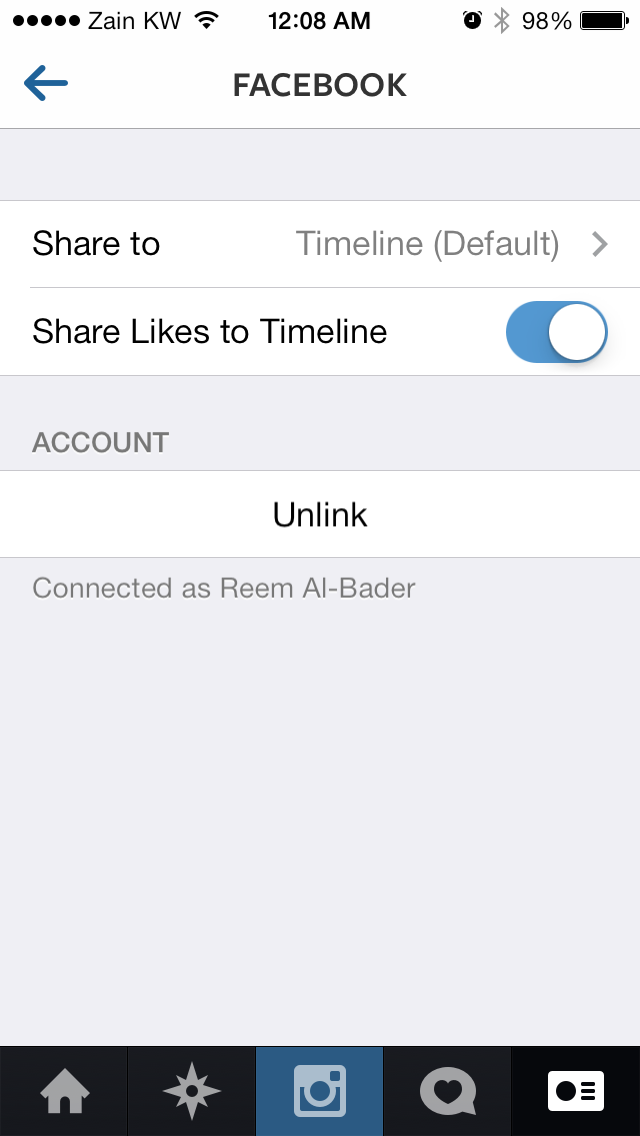
When you are done unlinking your Facebook account. Click again on Facebook under the share settings and click on YES.
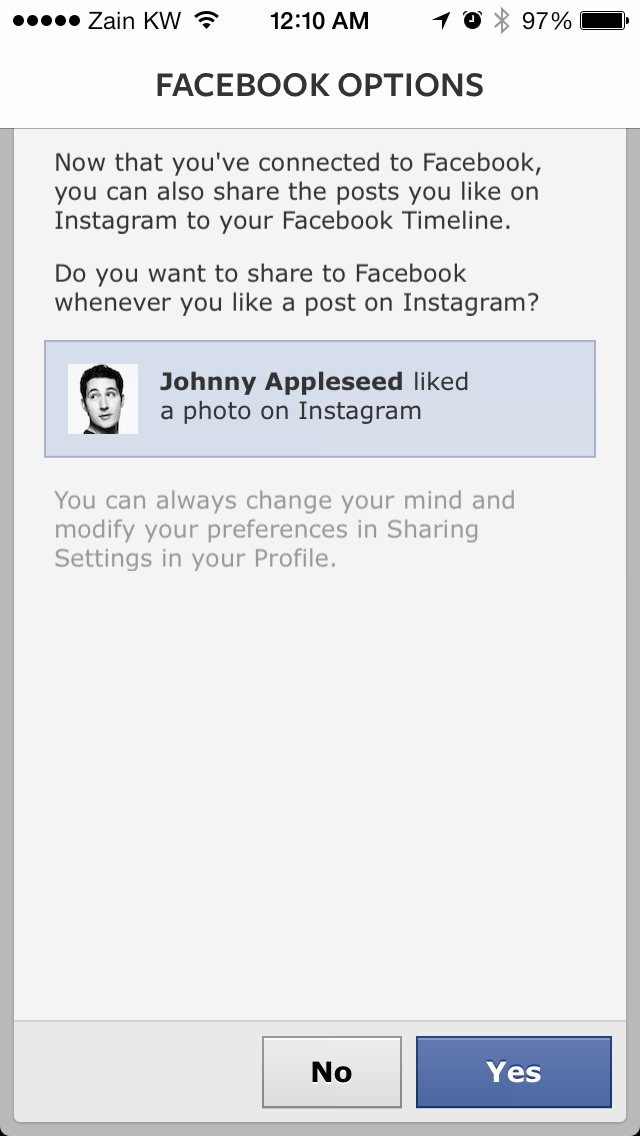
Now you’ll be able to see all your tags! Enjoy.


 A Traveler Foodie e-Spot.. Traveling like quantum!